
When Your Phone Freezes From Pop-Up Ads: Simple Steps to Get Back in Control
Have you ever been using your phone when suddenly a big scary message pops up? It might say your phone is infected or locked. Then your screen freezes and you cannot do anything. This can feel very frightening. You are not alone. Many people in Austin experience this. I am here to help you understand what is happening and how to handle it calmly.


Why Pop-Up Ads Can Freeze Your Phone
Most pop-up ads are designed to trick you. They create fake warning messages that look official. These pop-ups might say your phone has a virus or that you owe money. They use bright colors and urgent words to scare you. When you try to close them, they multiply or freeze your screen.
This is not a real problem with your phone. It is a trick to get you to call a fake support number or share personal information. The good news is your phone is likely fine. These pop-ups cannot actually lock your phone permanently. They are just annoying and scary. Taking a deep breath is your first step to staying in control.
The Apps That Often Cause Pop-Up Problems
Many people download apps hoping to make their phones work better. But some types of apps actually cause more pop-up problems than they solve. The three main culprits are:
Launcher apps: These change how your phone's home screen looks and works. Many launcher apps show constant ads and pop-ups to make money. They can slow down your phone and cause freezing.
Cleaner apps: These promise to "clean" your phone and make it faster. Most cleaner apps are not needed and bombard you with pop-up ads about fake problems they invented.
Booster apps: These claim to speed up your phone instantly. They often show scary pop-ups about "viruses" that do not exist, just to get you to buy their full version.
Your phone already has good built-in tools to stay safe and run well. Adding these extra apps often creates the very problems you are trying to avoid. The best approach is to keep your phone simple with only the apps you truly need.
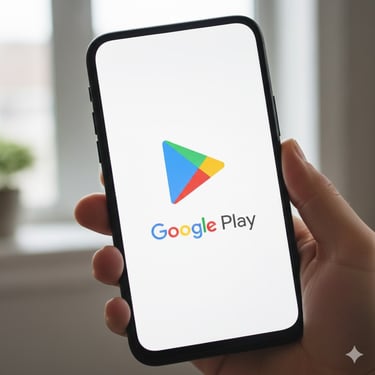
Pictured is the google play store this is where most apps are downloaded often by accident.
What to Do When Your Phone Freezes Right Now
If your screen is frozen right now with a scary pop-up, here is what to do:
Take a deep breath and remember this is not an emergency.
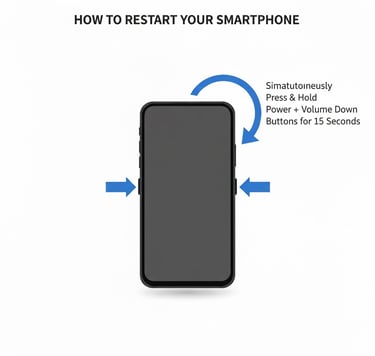
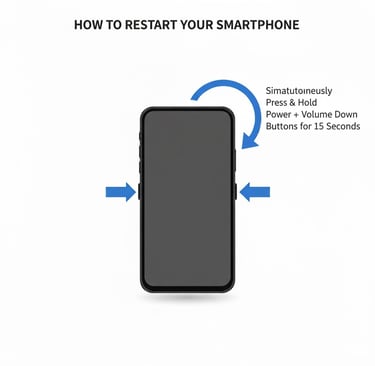
Press and hold the power button and Volume down on the side of your phone for about 10 seconds.
When the power menu appears, tap/slide Restart or Power off.
After your phone restarts, avoid going back to the website or app that caused the problem and remove it if possible.
For Android phones specifically, you can also try this if restarting does not work:
Press and hold the power button and volume down button together for 15-30 seconds. This forces the phone to restart even when completely frozen.
For Apple phones specifically, you can also try this if restarting does not work:
Press and release the volume up then press and release volume down hold the power button for 15-30 seconds. This forces the phone to restart even when completely frozen.
Once the phone is back on, Try to Identify and remove any apps that where causing the issues.
A Simple Plan to Stay Safe From Pop-Up Scams
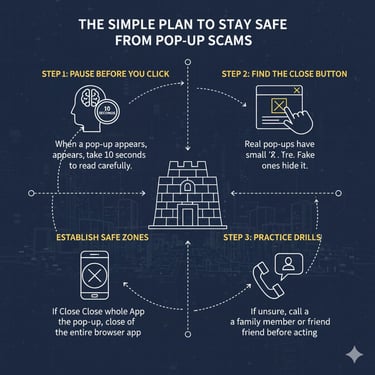
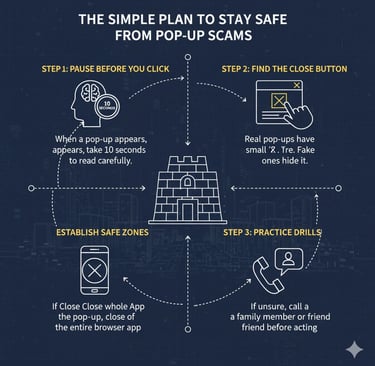
Here is your easy four-step plan to handle pop-up problems:
Pause before you click: When a pop-up appears, do not tap anything right away. Take 10 seconds to read it carefully.
Look for the close button: Real pop-ups have a small "X" in the corner. Fake ones hide this or make it hard to tap.
Close the whole app: If you cannot close the pop-up, close the entire browser app instead.
Call a trusted person: If you feel unsure, call a family member or friend before doing anything the pop-up asks.
Example: I Remember Robert from Round Rock? He downloaded a "phone booster" app that promised to make his Android faster. Instead, his phone started showing constant pop-ups about viruses and froze daily. After uninstalling that app and using his phone's built-in settings, his phone worked smoothly again. Robert learned that sometimes less is more when it comes to phone apps.
What to do if this happens
If your phone freezes often or you have apps that show too many pop-ups, you do not have to figure this out alone. Sometimes these problems need a patient guide to walk you through the steps. That is exactly why Phone Safety Coach exists. We help Austin seniors solve these exact problems every week.
Call or text us: (512) 566-6565
Visit us: phonesafetycoach.com
Email us: info@phonesafetycoach.com


You deserve to use your phone without fear. These pop-up tricks are designed to scare people. But with the right knowledge and a calm approach, you can stay in control. Your phone is a tool to connect with loved ones and enjoy your day. It should not be a source of stress.
We can visit you at home or meet at your favorite local library or coffee shop. In about an hour, we can show you which apps might be causing problems, how to safely remove them, and how to use your phone's built-in features to stay protected. No judgment. No complicated tech talk. Just clear, patient help at your pace.
Contact Us:
If you would like personal help with pop-up problems or any phone safety concern, we are here for you.
We help seniors across the Austin metro area feel confident and safe with their phones every day.
Helping Austin seniors Stay Safe from Phone Scams
Quick Links
Stay Connected
Get a free guide! Subscribe to our newsletter for scam, alerts, and tips.
Contact Us: